Lately I’ve started to use micro.blog more actively again. As part of that I’ve also started to reply more to posts and have stimulating conversations. That made me realise that those conversations might be of interest to have on my own site, so I should really try to set up my system so that I can reply to micro.blog posts directly from my blog. Yesterday some free time opened up during the evening so I gave it a go and it more or less works.
So first off, here’s my setup. I self host a WordPress blog. It uses a theme that I’ve made myself and quite a few plugins that I didn’t make. The important plugins in this context should be IndieWeb, Post Kinds, Semantic-Linkbacks and probably most important Webmentions.
For an external blog post that is a reply to a specific Micro.blog post, the external blog can send a Webmention to Micro.blog. As long as the sending blog is associated with a Micro.blog user, that post will be copied to Micro.blog as a reply and threaded into the conversation. Micro.blog’s Webmention endpoint is: https://micro.blog/webmention
So that’s what I tried to set up. I created an iOS Shortcut for my iPhone and iPad that I can trigger from the ”Share” menu in the micro.blog app that creates the hyperlink and fills in the @username-part. It then asks me for my reply as input text and finally sends it off to my blog.
On the Mac I don’t have quite such a nice automation workflow yet. Instead I just have a TextExpander snippet to fill in the hyperlink a bit faster.1
I also mark up the hyperlink with class="u-in-reply-to", though from the help text I suspect that’s not fully necessary.
Getting things working
The thing I knew I had to tweak was the part about how ”as long as the sending blog is associated with a Micro.blog user”. I’ve had multiple people reporting to me before that my webmentions shows up as sent by anonymous rather than as me, so I figured I had to sort that out first. To do that I used the Indiewebify.me service and checked how well my blog did the ”Become a citizen of the IndieWeb” and ”Publishing on the IndieWeb Level 2 – 1. Mark up your content (Profile, Notes, Articles, etc…) with microformats2” parts.
They showed that I had some tweaking to do, mostly because I had mistakenly only marked up part of my h-card as such so a lot of things where missing.
When that seemed to work I made a test reply to one of my own posts on my blog and the webmention had my name attached to it, so that seemed like progress.
I then sent out a post asking for people willing to receive some test replies and John (@johnjohnston) and Ron (@ronguest) where kind enough reply. The first proper test almost worked. It did show up a a reply but it identified as sent by blog.henrikcarlsson.se instead of by @MrHenko, so some part of micro.blog identifying me as me didn’t work.
So I dug around some more and realised that I had inputed http://henrikcarlsson.se as my web site in micro.blog’s account settings. While that is technically true, as my blog posts comes from the subdomain http://blog.henrikcarlsson.se, so I tried changing to the latter in micro.blog and that worked. My replies on my blog arrives properly threaded in micro.blog and properly attributed to @MrHenko.
One glaring problem remained though. Every reply from me got double-posted. I assume that is because I technically do send two things to micro.blog. A webmention from the blog post and then the post itself because it shows up in my RSS feed that is used to feed micro.blog.
My solution was to post my replies in a special ”interactions” category that I use the Ultimate Category Excluder plugin to exclude from my main RSS feed. And with that in place things more or less worked as intended.
Some things that still need tweaking
Every time I make a new reply in a thread in a micro.blog conversation, that’s a new post on my blog.2 That is in itself not a big problem but the curious part is that every reply that somebody else makes in the thread results a webmention/comment to multiple of the posts that I’ve made that has been threaded in that particular conversation. So I get duplicate comments, but on differens posts on my blog.
Right now I deal with it by only approving the comment to the earliest post I’ve made in the thread but that doesn’t really quite work since my subsequent comments doesn’t show up as comments on my own first post on my blog. So I’ll need to look more into this.
Litteral sidenote: The prospect of Shortcuts on the Mac is what makes me the most interested in updating macOS this fall. ↩
I’ve tried to get it to send comment replies as webmentions but that doesn’t seem to work. ↩
@MrHenko Thanks for writing this up; I’ve added it to the wiki.
I think for your replies to show up under your original post, you have to also send a Webmention to it (as well as to the Micro.blog reply you’re replying to), although since you’re getting replies from the Micro.blog Conversation to multiple different reply-posts you’ve made on your site that are part of the Conversation, it seems like Micro.blog should have also sent a Webmention back to your original post when your reply-post was added to the Conversation….
(I also think I remember seeing someone who had gotten on-blog-replies to comments that arrived from Micro.blog as Webmentions to be sent back to Micro.blog as Webmentions in response to those comments…but I can’t remember who, so maybe I’m imagining it…)
My head hurts from trying to keep this straight… ;-) But the two things you did figure out are really helpful 👍
@MrHenko Also, 1) how did you liberate the Shortcut from Shortcuts in order to get it into GitHub, and 2) how does one then install it into Shortcuts from GitHub?
The Shortcut sounds really useful for (at least as a starting point in customizing for their own blog) everyone who does get the Webmention-to-Micro.blog stuff working 👍
@MrHenko Haha! Sorry for making your head hurt, too. Lots of little details yet to be untangled for Webmentions….
The Micro.wiki is here; I added your article to the WordPress page (although in some ways the article is applicable to all non-Micro.blog-hosted blog systems).
Thanks for the info about the Shortcut; I had missed the “Share as File” option because it’s so far off the screen to the right in that sheet ;-)
I was not able to get your Shortcut from GitHub into Shortcuts using just iOS, I think because it was missing the .shortcut extension (and Files won’t let you change the filename extension, which it thought was .blog_reply!). But I downloaded it on the Mac, added the correct extension, got Micro.blog reply.shortcut back into Files, and then successfully imported it into Shortcuts on my phone!
I wondered how you were dealing with replying to initial posts, which was part of my reason for wanting to look at the Shortcut ;-) I have a couple of also-hacky ideas for how one might handle that, the best of which involves selecting the username, opening that person’s profile page in a web browser, running my “Micro.blog Conversation” bookmarklet to make a “Conversation” link appear if there isn’t already one (or if you’re not logged in in the web browser), and then finding the post and feeding its (new) “Conversation” link to your Shortcut ;-)
(Also, you can slightly simplify your Shortcut by using Get Component of URL (Path), then using Split Text (still /) and Get Item from List (Item At Index, 2) each once to get the username; Path is /username/postnumber, which is why it’s index 2, since index 1/first item is the emptyness before the first slash. To me, that feels like cleaner “code”, but that’s just me :-) )
@artkavanagh Oh, that’s great; thanks! I can even trigger that Shortcut from the “media download view” directly and give the thing the proper name and destination in one step.
I don’t know if fun is the word I’d choose since it involved a lot of RJ45 crimping, but at it did result in a more reliable network and wifi with better coverage, so that’s a win.
That one did indeed show up in micro.blog as part of the conversation but it didn’t show up at my blog and the micro.blog post is from johnjohnston.info, not @johnjohnston.
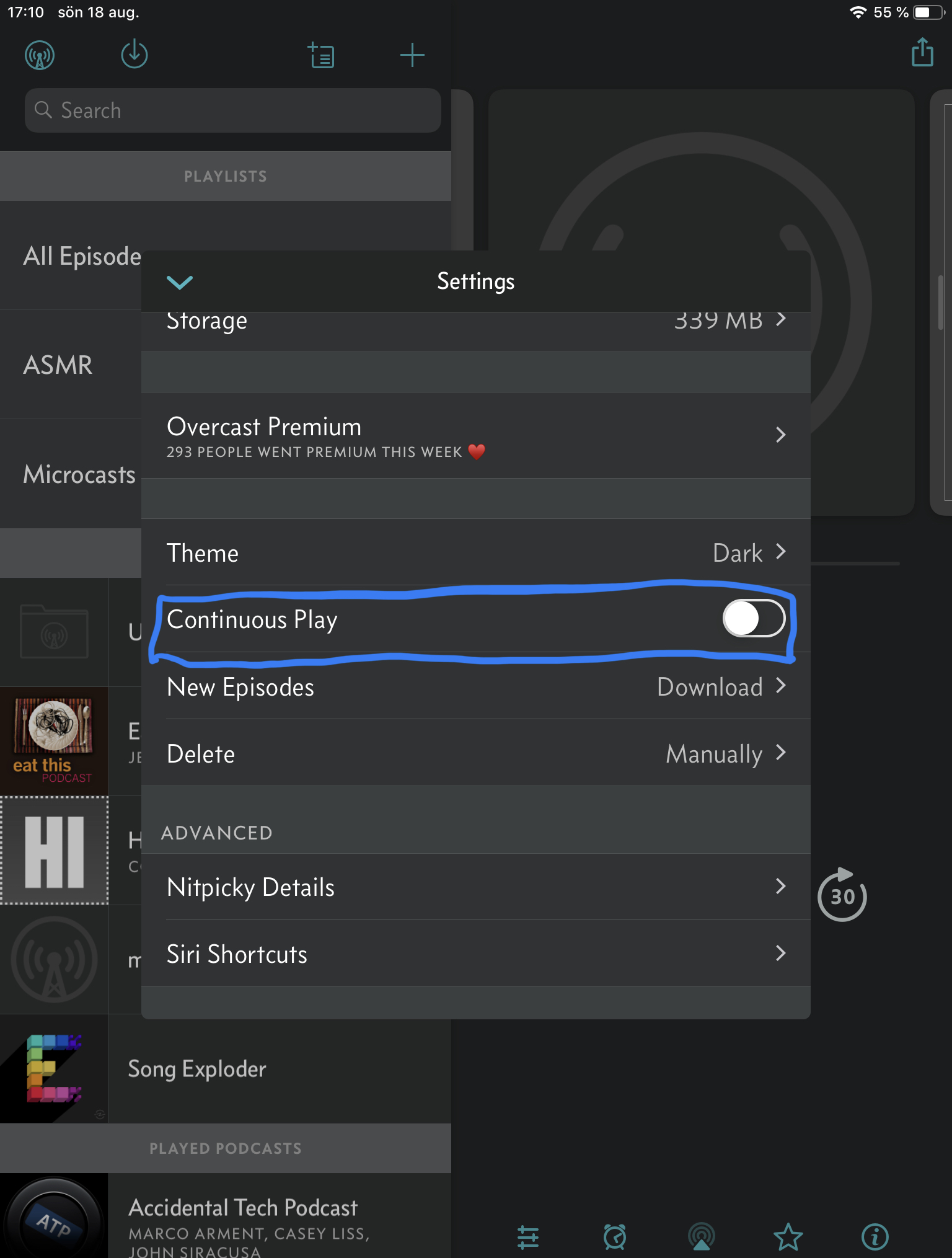
I’m hoping that turning this switch to “off” in Overcast will decrease the amount of mindless listening and get me to make more conscious choices about when to listen and to what.
Part of rethinking the tech I use to get work done is also getting rid of Dropbox. From now on, personal documents that need cloud sync goes into iCloud Drive and work stuff goes in OneDrive.
This was originally planned to be a post about me trying out a new tech setup for getting work done, but as I kept on writing I realized that it would need to be broken up into multiple parts, so this is more of a prolog.
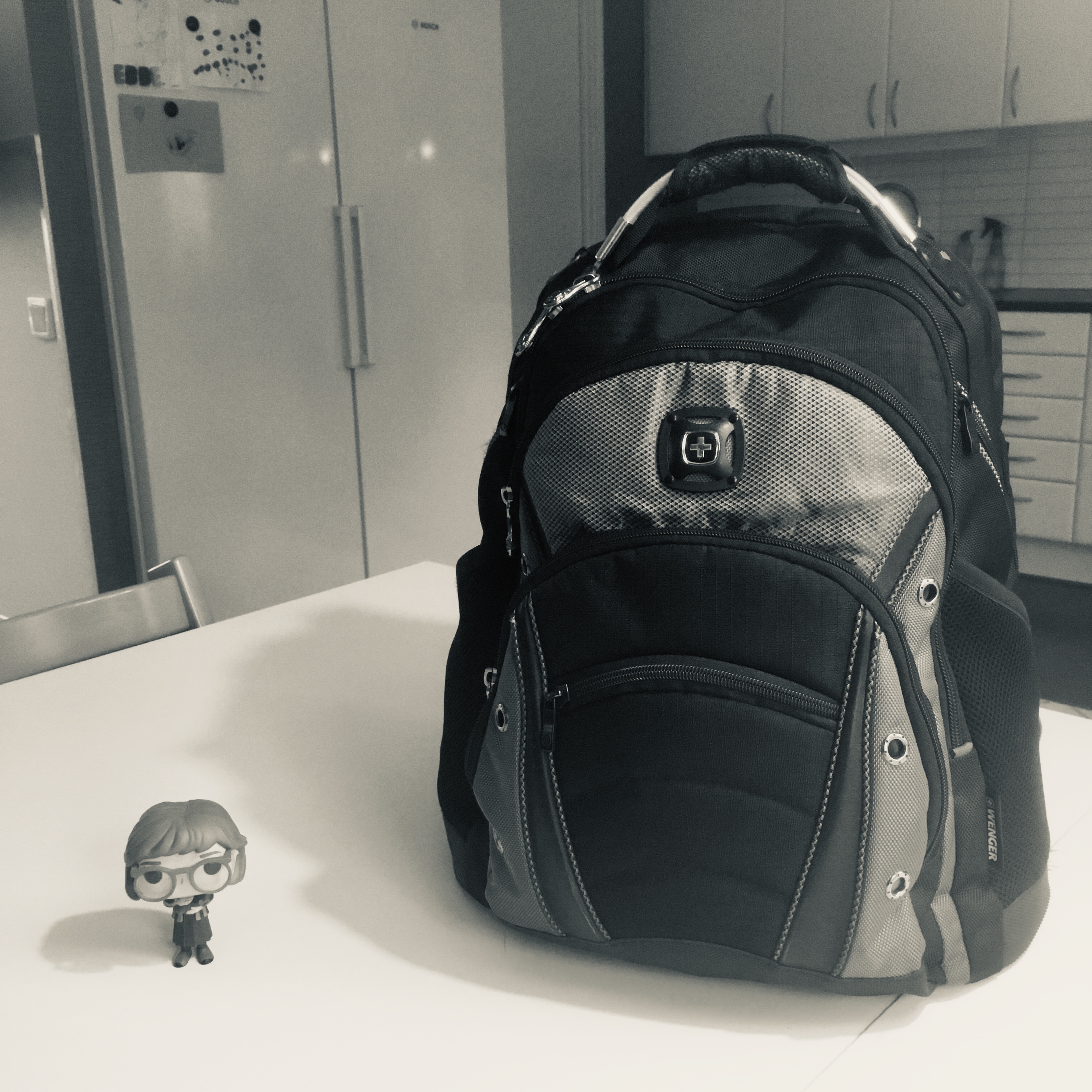
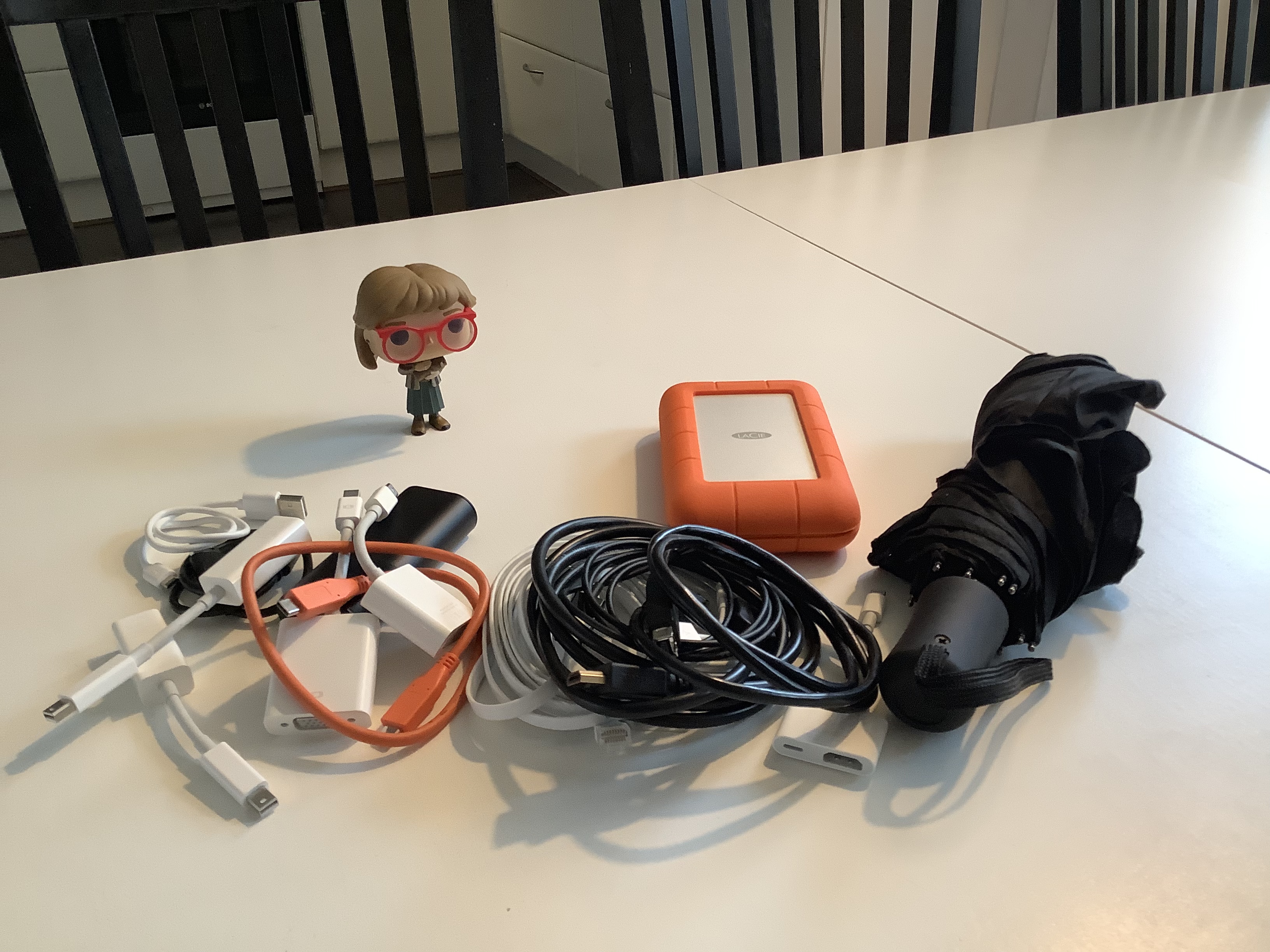
This is my backpack. (Nerdy Log Lady for scale.)
It’s not fancy or elegant but I like it. A lot.
Mostly I like it because it contains all the things I use to get my work done. Most importantly it contains my computer and its various peripherals.
When it comes to getting my work done, a real computer has always been my tool of choice and for as long as I’ve had my current job, that computer has been a MacBook Pro.
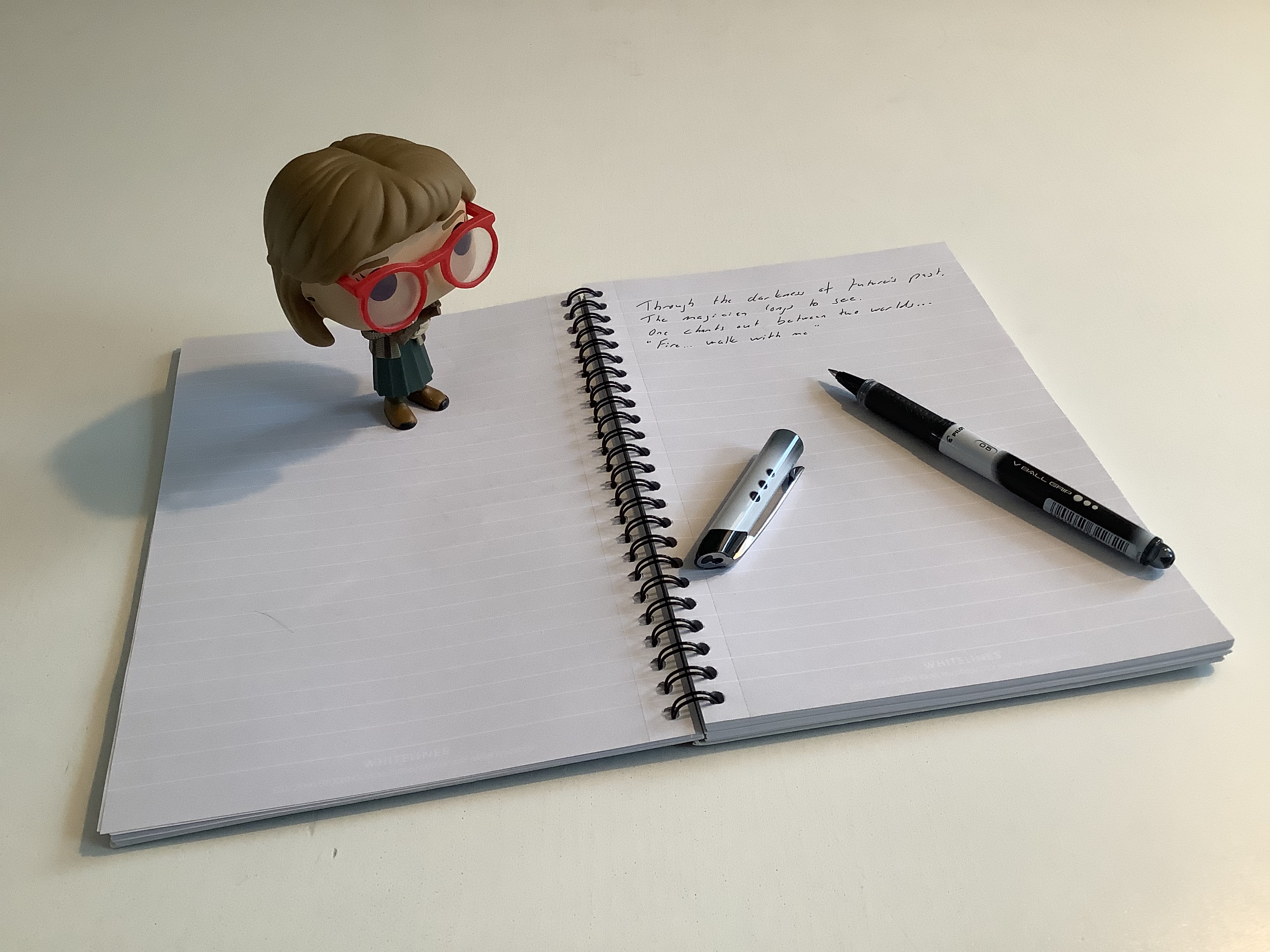
I also like my computer. A lot. It’s the last of its kind, really. It is the 2015 15″ Retina MacBook Pro model that was sold up until last summer, which was when I bought this one. It’s the tool that I use for most of the things involved in my job. I do carry a physical notebook and a pen quite often and use it to scribble down my thoughts but it is the computer that is the main work machine.
There are other things in the backpack that help me get my work done. In fact, I have a thirty-eight (38) items long checklist in OmniFocus for the things that should ideally be in the backpack. The notebook and pen I just mentioned are two of the items on the list. A charger for the computer is another one. There’s also an external hard drive, adapters for Thunderbolt to Ethernet, Thunderbolt to FireWire 800, a FireWire 800 cable(!), a FireWire 800 to 400 adapter(!?!?), Mini DisplayPort to VGA, Mini DisplayPort to HDMI, an Ethernet cable, all kinds of USB cables, a PowerBank and adapters for camera and microphone mounts. Oh, and an umbrella and various non-prescription medications.
(Just some of the stuff is actually in the picture.)
And that’s just the basic configuration of it. Some days I might carry another external hard drive, or maybe a iPad Air. And most days I carry my lunchbox in it as well.
In many ways this is a really good setup. The bag is heavy, but most days I sling it on one shoulder for the twenty steps walk to the car, dump it in the passenger seat next to me where it rests while I drop the kids off at preschool and then drive to work. Arriving at work I take a similar twenty to forty steps walk with the backpack on my back before arriving at my office and dumping it on the floor where it will rest until I walk back to the car and drive home.
The computer is also heavy, but it lives its life mostly either docked to an external display and keyboard and trackpad at my office at work, in a similar arrangement at my home office, or in the backpack being transported between work and home.
This setup is also good for travel, because as long as I have the backpack with me I have everything that I might need to get work done with me. There’s nothing1 that I need to do that I can’t get done.
However, or but,
This setup is also really bad for travel because it’s heavy and, even worse, bulky. It takes up a lot of space in the car. That’s not a problem when commuting to work but when I actually travel somewhere by car it’s often with the family and that always means there are a ton of stuff being packed already. My backpack just adds insult to injury, and for all kind of travel that’s not commuting, it is always just one of my bags. I’ll always need to bring at least one more bag for clothes and toiletries.
Heavy and bulky is also applicable to the computer unfortunately, which is why it is not a solution to get a smaller bag and pack less stuff in it, as long as the computer is part of the stuff being packed. If the computer should be brought, the backpack in question is the best way to bring it because even though it’s heavy and bulky it sits nicely on my back.
But maybe there’s different way to do this…
Almost true. There are off course some special cases that requires that studio at work, or where I need to provide a student with a certain kind of equipment that is only available at work. ↩
 Henrik Carlsson posted this
note
on
Henrik Carlsson posted this
note
on


 ©
©
Replies and comments
Henrik Carlsson
20 augusti, 2019 01:27@manton I just wrote up my process in getting the external replies to work. Not sure if it’s actually a bug report, but feel free to read the steps I took and see if I missed or mis-interpreted anything.
smokey
21 augusti, 2019 08:56@MrHenko Thanks for writing this up; I’ve added it to the wiki.
I think for your replies to show up under your original post, you have to also send a Webmention to it (as well as to the Micro.blog reply you’re replying to), although since you’re getting replies from the Micro.blog Conversation to multiple different reply-posts you’ve made on your site that are part of the Conversation, it seems like Micro.blog should have also sent a Webmention back to your original post when your reply-post was added to the Conversation….
(I also think I remember seeing someone who had gotten on-blog-replies to comments that arrived from Micro.blog as Webmentions to be sent back to Micro.blog as Webmentions in response to those comments…but I can’t remember who, so maybe I’m imagining it…)
My head hurts from trying to keep this straight… ;-) But the two things you did figure out are really helpful 👍
smokey
21 augusti, 2019 09:04@MrHenko Also, 1) how did you liberate the Shortcut from Shortcuts in order to get it into GitHub, and 2) how does one then install it into Shortcuts from GitHub?
The Shortcut sounds really useful for (at least as a starting point in customizing for their own blog) everyone who does get the Webmention-to-Micro.blog stuff working 👍
Henrik Carlsson
21 augusti, 2019 10:28This Article was mentioned on blog.henrikcarlsson.se
smokey
22 augusti, 2019 09:09@MrHenko Haha! Sorry for making your head hurt, too. Lots of little details yet to be untangled for Webmentions….
The Micro.wiki is here; I added your article to the WordPress page (although in some ways the article is applicable to all non-Micro.blog-hosted blog systems).
Thanks for the info about the Shortcut; I had missed the “Share as File” option because it’s so far off the screen to the right in that sheet ;-)
I was not able to get your Shortcut from GitHub into Shortcuts using just iOS, I think because it was missing the
.shortcutextension (and Files won’t let you change the filename extension, which it thought was.blog_reply!). But I downloaded it on the Mac, added the correct extension, gotMicro.blog reply.shortcutback into Files, and then successfully imported it into Shortcuts on my phone!I wondered how you were dealing with replying to initial posts, which was part of my reason for wanting to look at the Shortcut ;-) I have a couple of also-hacky ideas for how one might handle that, the best of which involves selecting the username, opening that person’s profile page in a web browser, running my “Micro.blog Conversation” bookmarklet to make a “Conversation” link appear if there isn’t already one (or if you’re not logged in in the web browser), and then finding the post and feeding its (new) “Conversation” link to your Shortcut ;-)
(Also, you can slightly simplify your Shortcut by using
Get Component of URL(Path), then usingSplit Text(still/) andGet Item from List(Item At Index,2) each once to get the username;Pathis/username/postnumber, which is why it’s index 2, since index 1/first item is the emptyness before the first slash. To me, that feels like cleaner “code”, but that’s just me :-) )artkavanagh
22 augusti, 2019 10:03@smokey
@viticci has a shortcut that neatly gets around that limitation: Rename and save files
smokey
25 augusti, 2019 08:11@artkavanagh Oh, that’s great; thanks! I can even trigger that Shortcut from the “media download view” directly and give the thing the proper name and destination in one step.